Your Sony headphones,
finally on your desktop.
Noise cancelling, ambient sound, EQ, DSEE and battery — controlled straight from your Mac or PC. No phone, no Sony account.
brew install --cask sonybridge
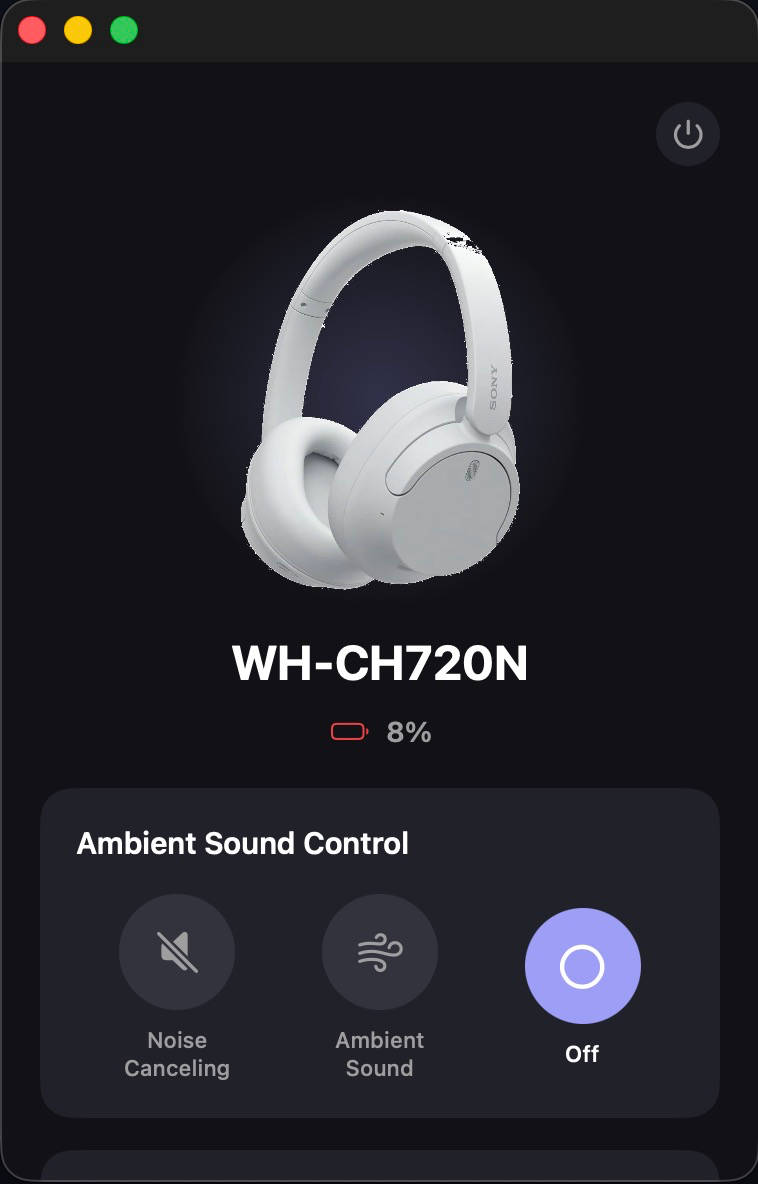
- WH-1000XM4
- WH-1000XM5
- WH-1000XM6
- WH-CH720N
- WF-1000XM5
- ULT WEAR
- WF-C700N
- LinkBuds S
- WH-XB910N
- WH-CH520
- MDR-XB950BT
- WH-1000XM3
Full control, minus the phone.
SonyBridge talks to your headset over Bluetooth using Sony's own protocol — so every setting you'd expect from the mobile app is right on your desktop.
Ambient Sound Control
Switch between Noise Cancelling, Ambient Sound with 20 levels, and Focus-on-Voice — with live sync when you press the button on the headset.
Equalizer + Manual
Presets, or a full 5-band manual mode with Clear Bass.
DSEE upscaling
Restore detail lost to compressed audio, one toggle.
Battery, incl. TWS
Live percentage — left, right and case for earbuds.
Only what fits
Auto power-off, Speak-to-Chat & Adaptive Volume appear only when your device supports them.
Dual-protocol
Auto-detects v1 & v2 headsets — old and new, same app.
Speaks Sony's binary protocol.
Sony headphones expose a vendor RFCOMM/SPP service. SonyBridge frames commands on the wire, handles the v2 init handshake and per-frame ACK the newer devices require, and reads state straight back from the headset.
Works across the Sony lineup.
The WH-CH720N is fully hardware-verified. The rest share the same protocol family — the basics should just work.
Install in a minute.
Pair your headphones in your OS Bluetooth settings first, then open SonyBridge and hit Connect.
First Windows build — same UI, testers wanted. Grab it and tell us how it runs.
Keep the reverse-engineering going.
SonyBridge is free forever. If it saved you from Sony's app, a sponsorship or a star keeps new devices and features coming.